



Choosing the Best Cloud-Based POS System for Your Business
In today’s fast-paced business environment, having an efficient and reliable point-of-sale (POS) system is crucial for the success of any retail or hospitality business. A cloud-based POS system offers numerous advantages over traditional, on-premise systems, making it an increasingly popular choice for businesses of all sizes.
This article will guide you through the process of choosing the best cloud-based POS system for your business, taking into consideration various factors such as features, security, integration capabilities, pricing models, and implementation.
Factors to Consider When Choosing a Cloud-Based POS System
When selecting a cloud-based POS system, it is essential to consider several factors to ensure that it meets the specific needs of your business. One of the first considerations is the scalability of the system. As your business grows, you will need a POS system that can accommodate an increasing number of transactions and users. Additionally, the system should be able to handle peak periods without any performance issues.
Another crucial factor to consider is the ease of use and user interface of the POS system. A user-friendly interface is essential for both employees and customers, as it can significantly impact the speed and efficiency of transactions. Look for a system that offers intuitive navigation, customizable layouts, and easy-to-understand features.
Assessing Your Business Needs: Determining the Right Features and Functionality
Before selecting a cloud-based POS system, it is essential to assess your business needs and determine the specific features and functionality required. Different businesses have different requirements, and a one-size-fits-all approach may not be suitable. For example, a retail business may require inventory management capabilities, while a restaurant may need table management and kitchen display integration.
For retail businesses, features such as inventory management, barcode scanning, and customer relationship management (CRM) tools are crucial. These features allow you to track inventory levels, automate reordering processes, and provide personalized customer experiences. On the other hand, restaurants and hotels may require features such as table management, menu customization, and integration with kitchen display systems.
Exploring Different Types of Cloud-Based POS Systems: Pros and Cons
There are several types of cloud-based POS systems available in the market, each with its own set of pros and cons. Understanding the different types will help you make an informed decision and choose the one that best suits your business requirements.
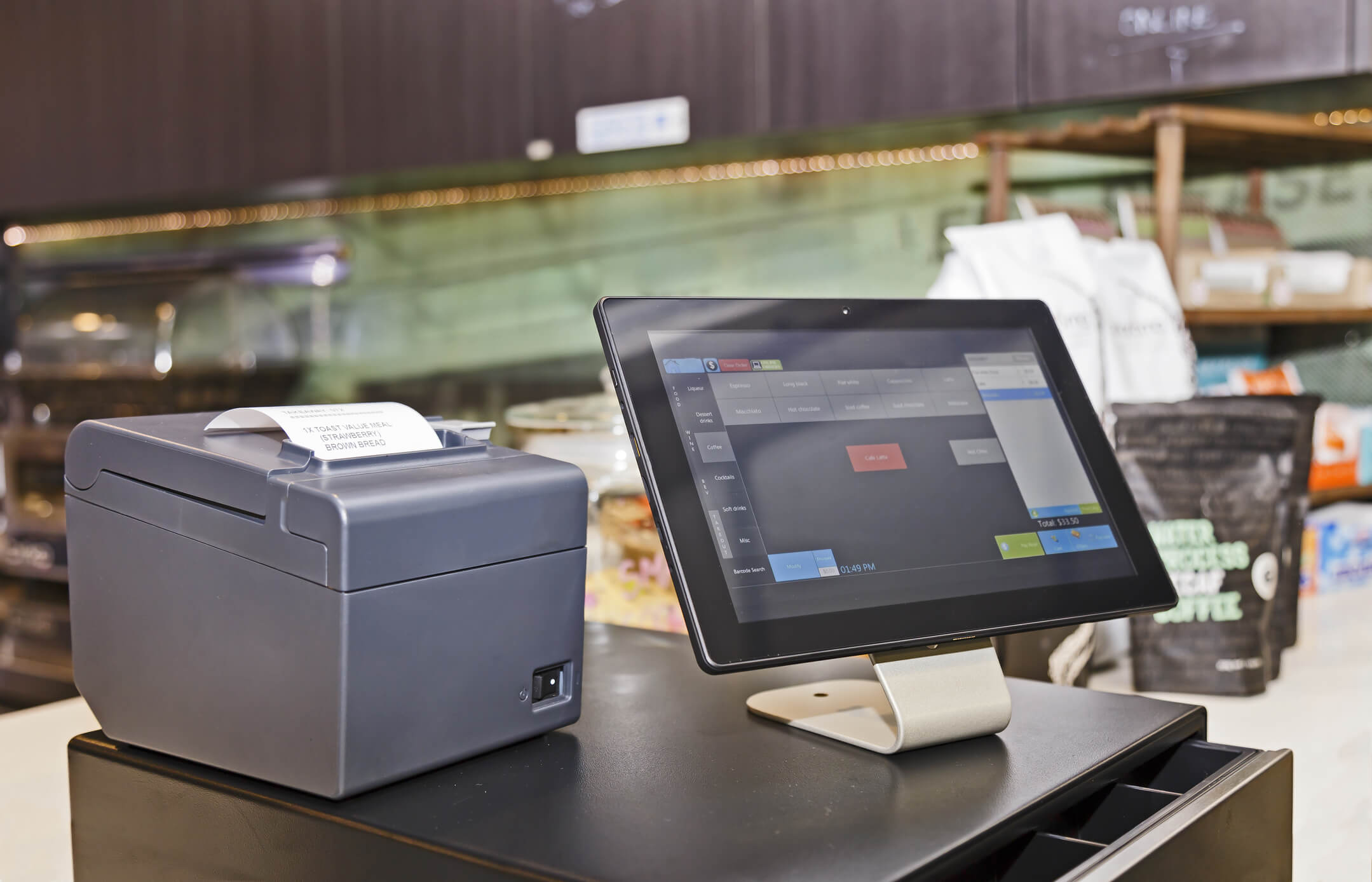
One type of cloud-based POS system is the tablet-based system, which uses tablets or iPads as the primary hardware. These systems are compact, portable, and offer a user-friendly interface. They are particularly popular in the hospitality industry, where servers can take orders and process payments directly at the table. However, tablet-based systems may have limited functionality compared to traditional POS systems.
Another type is the web-based POS system, which operates entirely through a web browser. These systems are accessible from any device with an internet connection, making them highly flexible and convenient. Web-based POS systems are often subscription-based, which means you pay a monthly fee for access to the software. However, they may have slower performance compared to other types of cloud-based POS systems.
Top Cloud-Based POS Systems in the Market: A Comparative Analysis
When choosing a cloud-based POS system, it is essential to consider the top players in the market and compare their features, functionality, and customer reviews. Here, we will analyze some of the leading cloud-based POS systems to help you make an informed decision.
1. Square POS

Square is a popular choice for small businesses due to its affordability and ease of use. It offers a range of features, including inventory management, employee management, and customer relationship management. Square also provides a free mobile app that allows you to accept payments on the go.
2. Shopify POS

Shopify is a comprehensive e-commerce platform that also offers a cloud-based POS system. It seamlessly integrates with your online store, allowing you to manage inventory, process orders, and accept payments both online and in-store. Shopify POS is known for its robust reporting and analytics capabilities.
3. Lightspeed Retail
Lightspeed Retail is a cloud-based POS system designed specifically for retail businesses. It offers advanced inventory management features, including stock tracking, purchase order management, and supplier management. Lightspeed Retail also integrates with popular e-commerce platforms, allowing you to manage both your physical and online stores from a single dashboard.
4. Toast POS

Toast is specifically designed for the restaurant industry and offers features such as tableside ordering, kitchen display systems, and online ordering integration.
Key Features to Look for in a Cloud-Based POS System
When evaluating different cloud-based POS systems, it is crucial to consider the key features that will enhance your business operations. Here are some essential features to look for:
1. Inventory Management: A robust inventory management feature allows you to track stock levels, manage purchase orders, and generate reports on top-selling products. This feature is particularly important for retail businesses to ensure optimal stock levels and prevent stockouts.
2. Reporting and Analytics: A cloud-based POS system should provide comprehensive reporting and analytics capabilities. This allows you to gain insights into sales trends, customer behavior, and employee performance. Detailed reports can help you make data-driven decisions and identify areas for improvement.
3. Integration with Payment Processors: Seamless integration with popular payment processors is essential for a smooth checkout process. Look for a POS system that supports multiple payment options, including credit cards, mobile wallets, and contactless payments.
4. Customer Relationship Management (CRM): A CRM feature enables you to store customer information, track purchase history, and offer personalized promotions and discounts.
Evaluating Security and Data Protection Measures in Cloud-Based POS Systems
Security is a critical consideration when choosing a cloud-based POS system, as it involves handling sensitive customer data and financial transactions. It is essential to ensure that the system you choose has robust security measures in place to protect against data breaches and unauthorized access.
Look for a system that offers end-to-end encryption, tokenization, and secure data storage. Additionally, consider whether the system is Payment Card Industry Data Security Standard (PCI DSS) compliant, which ensures that it meets the highest security standards for handling credit card information.
Integration Capabilities: Ensuring Seamless Compatibility with Existing Systems
When implementing a cloud-based POS system, it is crucial to consider its integration capabilities with your existing systems. The POS system should seamlessly integrate with your accounting software, customer relationship management (CRM) system, and any other systems you use to manage your business operations.
Before making a decision, check if the POS system offers pre-built integrations with popular software providers. This will save you time and effort in setting up and maintaining integrations. Additionally, consider the ease of integration and whether you will need the assistance of a developer or IT professional.
Pricing Models and Cost Considerations for Cloud-Based POS Systems
Pricing is an important factor to consider when choosing a cloud-based POS system, as it directly impacts your business’s bottom line. Different POS systems have different pricing models, so it is essential to understand the costs involved and choose a system that fits within your budget.
Some cloud-based POS systems charge a monthly subscription fee, while others may have a per-transaction fee or a combination of both. Consider your business’s transaction volume and projected growth when evaluating pricing models. Additionally, be aware of any additional costs, such as hardware purchases, software upgrades, or customer support fees.
Implementation and Training: Ensuring a Smooth Transition to a Cloud-Based POS System
Implementing a new POS system can be a complex process, but proper planning and training can ensure a smooth transition. Before implementing the system, create a detailed implementation plan that includes tasks, timelines, and responsibilities. This will help you stay organized and minimize disruptions to your business operations.
Training is another crucial aspect of a successful implementation. Ensure that your employees receive comprehensive training on how to use the new POS system. This can be done through in-person training sessions, online tutorials, or a combination of both. Regularly assess the effectiveness of the training and provide ongoing support to address any issues or questions that may arise.
FAQs
Q.1: What is a cloud-based POS system?
A cloud-based POS system is a software solution that allows businesses to process transactions, manage inventory, and perform other essential functions using an internet connection. Unlike traditional on-premise systems, cloud-based POS systems store data on remote servers, providing accessibility from any device with an internet connection.
Q.2: How does a cloud-based POS system benefit my business?
Cloud-based POS systems offer numerous benefits for businesses, including increased flexibility, scalability, and accessibility. These systems allow businesses to access real-time data from anywhere, streamline operations, and provide a seamless customer experience. Additionally, cloud-based POS systems often come with regular updates and maintenance, reducing the burden on businesses to manage their own IT infrastructure.
Q.3: How much does a cloud-based POS system cost?
The cost of a cloud-based POS system can vary depending on factors such as the size of your business, the number of users, and the features included. Some systems offer tiered pricing plans based on the number of transactions or users, while others may charge a monthly subscription fee. It is important to consider your budget and the value that the system will bring to your business when evaluating pricing options.
Q.4: Can a cloud-based POS system handle high transaction volumes?
Yes, cloud-based POS systems are designed to handle high transaction volumes. However, it is important to choose a system that can scale with your business and handle the expected transaction volume. Consider factors such as processing speed, network stability, and the vendor’s track record in handling high transaction volumes.
Q.5: How secure is a cloud-based POS system?
Security is a top concern when it comes to cloud-based POS systems. It is important to choose a system that offers robust security measures, such as data encryption, secure payment processing, and regular system updates. Additionally, consider the vendor’s reputation and track record in terms of security breaches and data protection.
Conclusion
Choosing the best cloud-based POS system for your business is a critical decision that can have a significant impact on your operations and overall success. By considering factors such as your business needs, the features and functionality required, and the security and integration capabilities of the system, you can make an informed decision that aligns with your goals.
Remember to evaluate different options, compare their pros and cons, and consider customer reviews and ratings. With the right cloud-based POS system in place, you can streamline your operations, enhance customer experiences, and drive business growth.